Quick answer: If your DStv remote is not working, press HOME first. If the STANDBY button lights up, the batteries are fine and the remote is probably in a different mode to your decoder. Hold INFO and BACK together to move to the next mode, then try again. If the light stays dead even with new batteries, the remote needs replacing.
Most cases of a DStv remote not working St Helena Bay homeowners call us about are not faults at all. It is usually a mode mix-up, tired batteries or a decoder that has not woken up properly after the power came back.
This guide clears up the myths we hear every week. Then it gives you the facts, what they mean for West Coast homes, and a five-minute checklist.
Key points before you start
- A red light on the STANDBY button is normal. It means the remote is in mode 1, the default.
- Green means mode 2 and orange means mode 3. Your decoder must be set to listen to the same mode.
- Press HOME to test the batteries. No light at all means new batteries or a new remote.
- DStv does not recommend rechargeable batteries in its remotes.
- If the remote works but the picture is the problem, the fault is somewhere else in the system.
Why is my DStv remote not working? The myths people believe
When the DStv remote is not working, most people jump straight to the worst answer. The decoder must be broken, or the remote is finished. In our experience, both are rare.
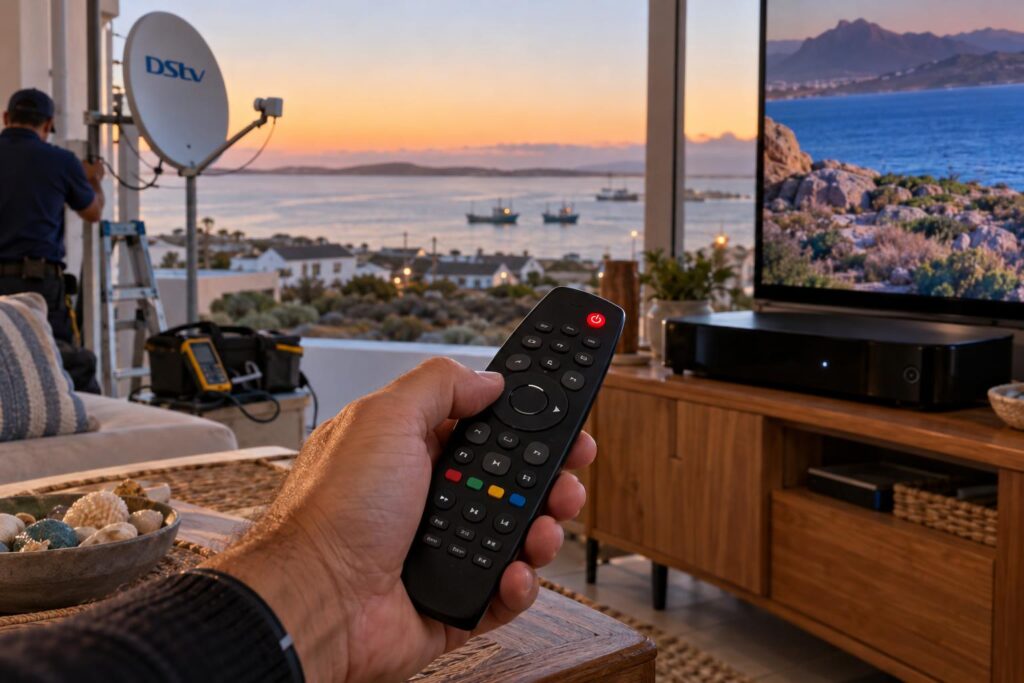
Myth 1: "The red light means the remote is faulty"
People see the STANDBY button flash red and assume it is an error. It is not.
On the DStv A9 remote, the STANDBY button lights up every time you press a button. The colour simply tells you which mode the remote is in. Red is mode 1, which is the factory setting.
Myth 2: "I put in new batteries, so the remote must be dead"
If the light comes on, the remote is sending. The question is whether the decoder is listening. A remote stuck in mode 2 will flash green, but a decoder set to ignore mode 2 will do nothing at all.
Myth 3: "The volume button is broken"
Dead volume is often a setting, not a fault. On the A7 remote, volume and mute can be locked to the TV or the decoder, and an accidental switch makes them seem broken.
Myth 4: "If the remote won't work, the decoder is gone"
A decoder that shows no picture and ignores the remote may simply be off, rebooting or stuck. That is a different problem, and our guide on what to check when a DStv decoder won't turn on walks you through it.
Myth vs fact: the DStv remote light colours explained
Here are the facts from DStv's own remote user guides. The light on the STANDBY button tells you almost everything.
| What you see | What it means | What to do |
|---|---|---|
| Red light when you press a button | Remote is in mode 1 (default) | Make sure the decoder listens to mode 1 |
| Green light when you press a button | Remote is in mode 2 | Change mode or set the decoder to mode 2 |
| Orange light when you press a button | Remote is in mode 3 | Change mode or set the decoder to mode 3 |
| No light at all when you press HOME | Flat batteries or a broken remote | Fit new batteries, then replace the remote if still dead |
| One long red blink while programming | Remote has left programming mode | Start the steps again, a bit faster |
Why modes? They are for homes with more than one Explora, so changing channels in the lounge does not change the bedroom TV too.
Local tip: Holding INFO and BACK together is an easy accident. Kids and holiday guests do it all the time. If your remote started flashing a new colour after a full house over the long weekend, this is almost certainly why.
How to fix a DStv remote not working with the decoder
Work through these steps in order. Most remotes are back to normal by step five.
- Press the HOME button and watch the STANDBY button on the remote.
- If nothing lights up, fit fresh batteries. Use good quality ones, not rechargeables.
- Press HOME again. If there is still no light, the remote has failed and needs replacing.
- If it lights up, note the colour. Red is mode 1, green is mode 2, orange is mode 3.
- Hold INFO and BACK together. The remote moves to the next mode and blinks twice in the new colour.
- Try a channel change after each mode switch. Stop as soon as the decoder responds.
- If none of the three modes works, check the decoder's own remote setting (below).
Set your Explora to listen to the right mode
On an Explora, press HOME, go to Settings, then System Settings, then Remote Control. If your remote is in mode 1, set modes 2 and 3 to Ignore. Do the same pattern for the other modes.
You need a working remote to reach this menu. A second remote from the house, set to mode 1, usually gets you in.
XtraView homes need extra care
DStv's own guide says that if your Explora is part of an XtraView setup, you should check the remote mode settings with an accredited installer. Two decoders, two remotes and three modes can get tangled quickly. We sort this out on site as part of our DStv signal repairs and decoder fault-finding visits.
Remote sorted, but something still isn't right?
Our technicians test the remote, decoder, cable and dish in one visit, so you are not left guessing. Same-week callouts across St Helena Bay and the West Coast.
DStv remote volume and TV power not working
Sometimes the channels change fine, but the volume or TV power button does nothing. That is a programming issue you can usually fix at home.
Switch the volume back to the decoder or the TV
On the A7 remote, hold ARC and VOL+ for more than three seconds to make volume and mute control your TV. The light gives two short red blinks.
To make them control the Explora again, hold ARC and VOL- for more than three seconds. You will see four short red blinks.
Programme the TV POWER button again
New TV in the lounge? The remote will not know it yet. With the TV switched on, hold TV POWER and ARC for more than three seconds until the light turns red.
Then hold the number key for your TV brand until the TV switches off. The brand letters are printed on the number keys. Release the button, and you should see three green blinks.
Factory reset the A7 remote
If the buttons are a mess after too much fiddling, reset the remote. Hold STANDBY and OPTIONS for more than three seconds, press 9, 8 and 1, then hold OK for more than three seconds. Four red blinks confirm the reset.
You may need to set the mode and TV codes again afterwards.
What a DStv remote not working means for St Helena Bay homes
The steps above work anywhere. But a DStv remote not working on the West Coast often has a local twist.
Salt air and battery contacts
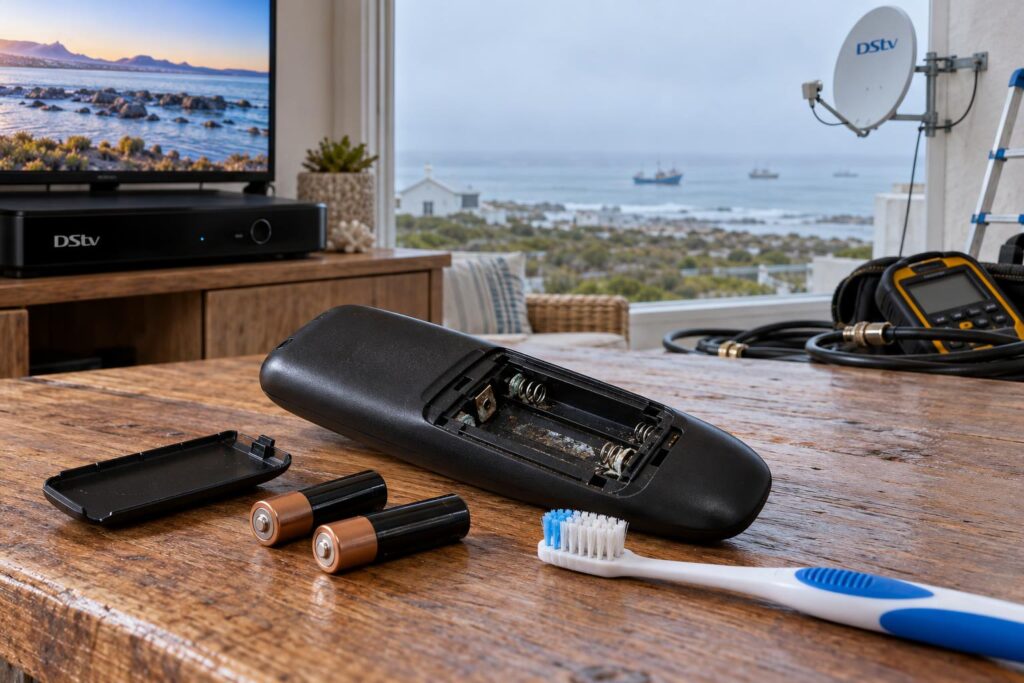
In homes close to the water at Shelley Point, Stompneus Bay or along the Laaiplek beachfront, the damp salty air gets into everything. Battery springs in a remote can turn green and crusty, even indoors.
If you open the battery cover and see white or green build-up, clean the contacts gently with a dry cloth or an old toothbrush. The same salt does far more damage outside, which is why we wrote a full guide on salt air and your satellite dish.
Holiday homes that sit empty for months
Many houses in Britannia Bay and towards the Paternoster side stand empty for long stretches between Easter and the December holidays. Batteries left in a remote for months can leak and damage the contacts for good.
Take the batteries out when you lock up for the season. Our checklist for holiday home DStv setup covers the rest of what to switch off and check.
After load shedding or a power dip
When the power comes back, the decoder needs time to start up. Until then it can seem to ignore the remote.
Give it a few minutes before you start pressing buttons. If it still won't respond, DStv's guide says that pressing and holding STANDBY on the A9 remote reboots the Explora.
- Use a surge protector on the decoder and TV, especially on farms outside Velddrif where the supply can be rough.
- Keep a spare set of batteries in the TV cabinet drawer.
When the remote is fine but the DStv picture is not
Sometimes a call about a DStv remote not working turns out to be a screen problem. The remote changes the channel, and then nothing useful happens.
- Channel changes, but the picture freezes or breaks into blocks. That points to signal.
- Channel changes, but you get an error message on a black screen. That is a subscription or smartcard issue.
- No light on the front of the decoder. That is a power problem.
- The remote works on one TV but not on another in the same house. That is often a mode or XtraView setting.
If your picture keeps stalling after the channel changes, our guide to DStv picture freezing and pixelating explains the usual causes.
If the screen says the channel is scrambled, read our page on what DStv error E16 means.
Strong south-easters across the bay can also knock a dish slightly off line. The remote then gets the blame for a channel that will not load, when the dish is the real culprit.
Replacing a DStv remote: what to know first
No light on the HOME test, even with fresh batteries, means the remote has failed.
- A new DStv remote carries a 12-month warranty from the date of purchase.
- If it fails inside that time, take it to a DStv service centre or agency with your proof of purchase.
- If it is older than 12 months, you can buy a new one at a MultiChoice service centre or agency.
- The A9 remote works with DStv HD decoders and all Explora models.
Check which decoder you have before you buy, so you get a remote that supports it. If you are thinking of upgrading the decoder instead, our guide on which DStv decoder to choose sets out the options.
Your DStv remote not working checklist
Run through this list before you call. It covers nearly every remote callout we have done from Laaiplek to Stompneus Bay.
- Press HOME. Does the STANDBY button light up?
- No light: fit fresh, non-rechargeable batteries and clean the contacts.
- Light on: check the colour and try all three modes with INFO and BACK.
- Check the Explora's Remote Control setting is listening to that mode.
- Volume dead: hold ARC and VOL- (decoder) or ARC and VOL+ (TV).
- New TV: programme TV POWER with TV POWER and ARC.
- Still stuck: hold STANDBY to reboot the Explora and wait a few minutes.
- Remote fine but picture bad: it is a signal or decoder issue.
If you have ticked every box and it still won't work, call our St Helena Bay DStv installers and tell us what colour the light shows. That one detail saves a lot of time on the phone. You can also check DStv's official help and contact page for account questions.
We also handle full DStv installation in St Helena Bay and the West Coast, so if the remote problem turns out to be an old decoder or a tired dish, we can quote the fix on the same visit.
Still no luck with your DStv remote?
Send us a WhatsApp with the colour of the remote light and your decoder model. We will tell you straight away if it is a home fix or a callout.
Most remote problems take five minutes to fix once you know what the light is telling you. Start with HOME, read the colour, and work down the list.
DStv remote not working: common questions
Why is my DStv remote not working with new batteries?
If the STANDBY button lights up when you press HOME, the batteries are fine. The remote is most likely in a different mode to your decoder. Hold INFO and BACK together to change mode and try again after each change.
Why is my DStv remote blinking a red light?
A red light on the STANDBY button is normal. It shows the remote is in mode 1, the default setting. If the decoder still does not respond, check that it is set to listen to mode 1 under Settings, System Settings, Remote Control.
Why is my DStv remote not changing channels but the light is green?
Green means the remote is in mode 2. Your decoder is probably set to mode 1 or set to ignore mode 2. Hold INFO and BACK until the light blinks red, then try changing channels.
Why is my DStv Explora remote volume not working?
The volume and mute buttons may be set to control the TV instead of the decoder. On the A7 remote, hold ARC and VOL- for more than three seconds to give volume back to the Explora. Four short red blinks confirm the change.
How do I reset my DStv remote?
On the A7 remote, hold STANDBY and OPTIONS for more than three seconds, then press 9, 8 and 1. Hold OK for more than three seconds until the light blinks red four times. You may need to set the mode and TV codes again afterwards.
Can I buy a DStv remote only, without a new decoder?
Yes. DStv remotes are sold on their own at MultiChoice service centres and agencies. A new remote has a 12-month warranty, so keep your slip in case it fails early.
Keep reading
DStv Decoder Price St Helena Bay: 2026 PEP, Game & Makro Guide
What does a DStv decoder cost in St Helena Bay right now? October 2026 prices for HD, Explora…
TroubleshootingWhat to do when you lose signal in bad weather
A storm rolls in and the picture freezes. Before you panic, here's what's usually going on, and the…
ConnectivityWhich DStv Decoder Should You Choose? A St Helena Bay Guide
.wa{color:#243447}.wa h2{font-size:clamp(24px,3vw,32px);font-weight:800;line-height:1.2;margin:38px 0 14px;color:#0F2741}.wa h3{font-size:clamp(18px,2.2vw,22px);font-weight:700;mar