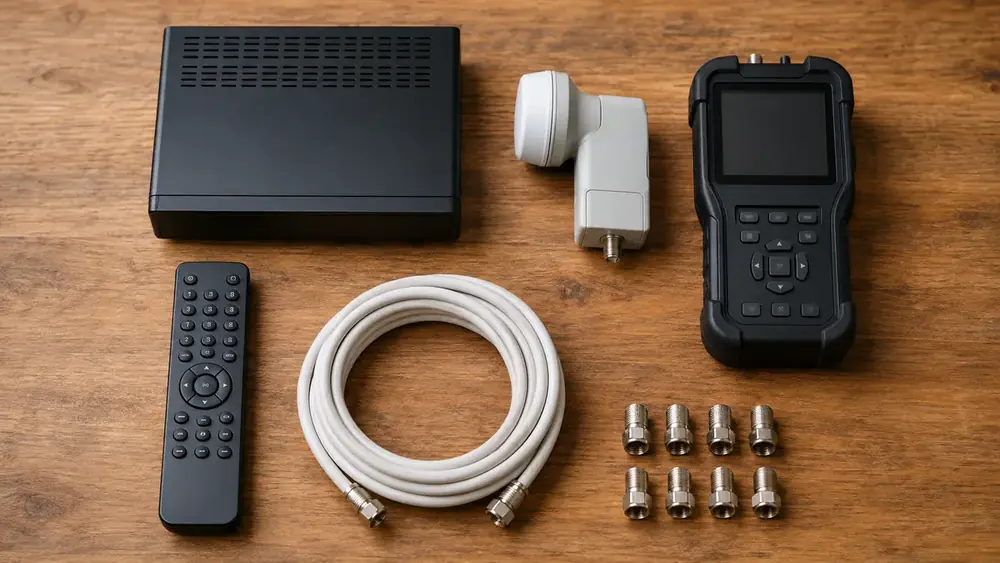
Choosing a decoder is where most people overspend. The honest answer is that the right one depends on how many TVs you want, whether you record, and whether your internet is good enough to bother with the streaming features.
Here is how we talk it through with customers in St Helena Bay.
The realistic options
| Decoder | Best for | Worth knowing |
|---|---|---|
| HD single view | One TV, no recording | Cheapest way in. Perfectly good if you just watch live |
| Explora | Recording, pause and rewind | The standard family choice. Needs a Smart LNB |
| Explora Ultra | Recording plus streaming apps | Only worth it if your internet can carry it |
| Extra View pair | Two or more rooms, one account | Linked decoders, single subscription |
If you already know you want Explora or Ultra, the setup detail is on our Explora and Ultra installation page.
The questions that actually decide it
Do you record things?
If you never watch anything twice and never pause live TV, an HD decoder does the job and you can stop reading here. If the household argues about what to watch, recording solves more problems than any package upgrade.
How many TVs?
Two or more rooms means Extra View, which links decoders on one subscription. People often pay for two full accounts without realising there is a cheaper way. See Extra View setup.
How good is your internet?
Ultra leans on streaming, so it is only worth the money if the connection behind it is solid. In parts of St Helena Bay that is a genuine question rather than a given. If your WiFi already struggles at the back of the house, fix that first: see WiFi and network cabling.
The no-subscription alternative
Not everyone wants a monthly bill. OpenView gives you a set of free-to-air channels for the cost of the equipment and installation, with nothing monthly after that. It is a genuinely sensible option for a holiday house, a granny flat, or a second TV that barely gets used.
It will not replace DStv if you want sport, and we would rather say that plainly than sell you something you will be disappointed by. Full detail on our OpenView installation page, and a TV aerial is worth considering alongside it for local channels.
What people regret
- Buying Ultra for the streaming, then finding the internet cannot carry it
- Running two separate subscriptions when Extra View would have linked them
- Buying a decoder online that needs a Smart LNB the property does not have
- Choosing on price alone and losing recording, then paying again to upgrade
If you are upgrading rather than starting fresh, ask before you buy. A five minute call can save a wasted purchase, and we would rather tell you the cheaper option than fit the expensive one.
Not sure which decoder suits your home in St Helena Bay? Call or WhatsApp 079 754 5527 and we will give you a straight answer, no obligation.
What each option costs to run, not just to buy
Purchase price is the smaller part of the decision. The monthly cost over a few years dwarfs the hardware:
| Option | Up front | Ongoing |
|---|---|---|
| OpenView | Equipment plus installation | Nothing monthly |
| DStv HD single view | Decoder plus installation | Monthly package |
| DStv Explora | Higher decoder cost | Monthly package |
| Extra View second room | Second decoder plus cabling | Smaller add-on fee, not a second subscription |
For a property used a few weeks a year, the ongoing cost is what matters and OpenView often wins outright. For a family home that watches sport, the package is the point and the hardware difference is noise.
Upgrading an existing setup
From HD to Explora
Usually straightforward. The main thing to check is whether the installation has a Smart LNB, because Explora needs one. If not, that is a small part swap rather than a new dish.
Adding a room
Extra View, not a second subscription. See Extra View setup. The cable run is the main variable in cost.
Moving house
Your decoder comes with you. What you need is the dish work at the new property. Our relocations page covers how that works, and it is worth booking before you move rather than after.
Questions to ask yourself before buying anything
- How many hours a week does the TV actually get watched?
- Does anyone in the house record or pause live TV?
- How many rooms genuinely need a picture, versus how many might one day?
- Is the internet fast and stable enough for streaming features?
- Is this a permanent home or a property used a few weeks a year?
Answer those honestly and the right decoder is usually obvious. Most overspending comes from buying for a use case that never materialises.
A note on buying online
Buying a decoder online is fine, with one caveat: check it suits the installation you have. The commonest problem we are called out for is a new Explora arriving at a house with a standard LNB. It is a small fix, but it is an avoidable extra visit. A quick call before you order costs nothing.
Matching the decoder to the household
| Household | Usually right | Why |
|---|---|---|
| One person, live TV only | HD single view | Recording adds cost you will not use |
| Family, one main TV | Explora | Recording and pause solve most arguments |
| Family, several rooms | Explora plus Extra View | One subscription across rooms |
| Holiday house, light use | OpenView | No monthly cost between visits |
| Granny flat or spare room | OpenView or Extra View | Depends whether it shares the main account |
| Guest house or business | Commercial setup | Different licensing applies |
If you are in the last row, our commercial DStv page explains how business licensing differs from a home subscription.
The internet question, honestly
Ultra and the streaming features assume a connection that can carry them. Before paying for that capability, check what you actually have. If your WiFi already struggles at the back of the house, the decoder is not the thing to fix first.
In practice we often end up sorting network coverage and the decoder in the same visit, because one without the other disappoints people.
Aerials, and why they still matter
A TV aerial gets you local free-to-air channels with no subscription at all. It is not a replacement for a satellite package, but as a backup, or for a second TV, or for a property where nobody wants a monthly bill, it earns its place. It also keeps working when the satellite signal is being rained on. See TV aerial and digital antenna.
Before you commit
Three things worth doing:
- Check whether your current dish and LNB support what you are buying
- Work out the monthly cost over two years, not just the purchase price
- Decide whether a second room is likely, because that changes the answer
If you want a sanity check before spending, call and describe the house. We would rather spend five minutes on the phone than fit something that does not suit you. Realistic installation numbers are in our St Helena Bay cost guide.
Questions we get asked
Which DStv decoder should I get?
If you never record, an HD single view decoder is enough. If you record or pause live TV, Explora is the standard choice. Ultra only makes sense if your internet is genuinely good enough for the streaming features, otherwise you are paying for something you will not use.
What is the difference between Explora and Explora Ultra?
Both record. Ultra adds streaming app integration and a newer interface. The deciding factor is your internet connection: with a weak line, Ultra gives you very little that Explora does not already do.
Can I use one subscription for two TVs?
Yes, that is exactly what Extra View does. It links a second decoder to your existing account so you pay one subscription plus a smaller access fee rather than two full subscriptions.
Is OpenView worth it instead of DStv?
For a second TV, a granny flat or a holiday house that is rarely used, OpenView is a genuinely good option because there is no monthly subscription after installation. It will not replace DStv for live sport, so it depends what you actually watch.
Do I need a new dish for an Explora?
Not usually the dish itself, but Explora needs a Smart LNB. If your installation is older it may still have a standard LNB, which is a small part to change rather than a whole new dish.
Keep reading
DStv Error E16 in St Helena Bay: What It Means and 5 Fixes
DStv error E16 on your screen in St Helena Bay? Here is what the scrambled message means, the…
TroubleshootingDStv Decoder Won't Turn On in St Helena Bay? 7 Quick Checks
DStv decoder won't turn on? Work through our 7 quick checks for power, resets and heat, learn what…
ConnectivityFibre or LTE WiFi Router: Which Suits Your Home?
Fibre or LTE for your home WiFi? A side-by-side look at speed, data, setup and streaming, with advice…